Photo Save the Date Ideas (and How to Choose the Perfect Picture)
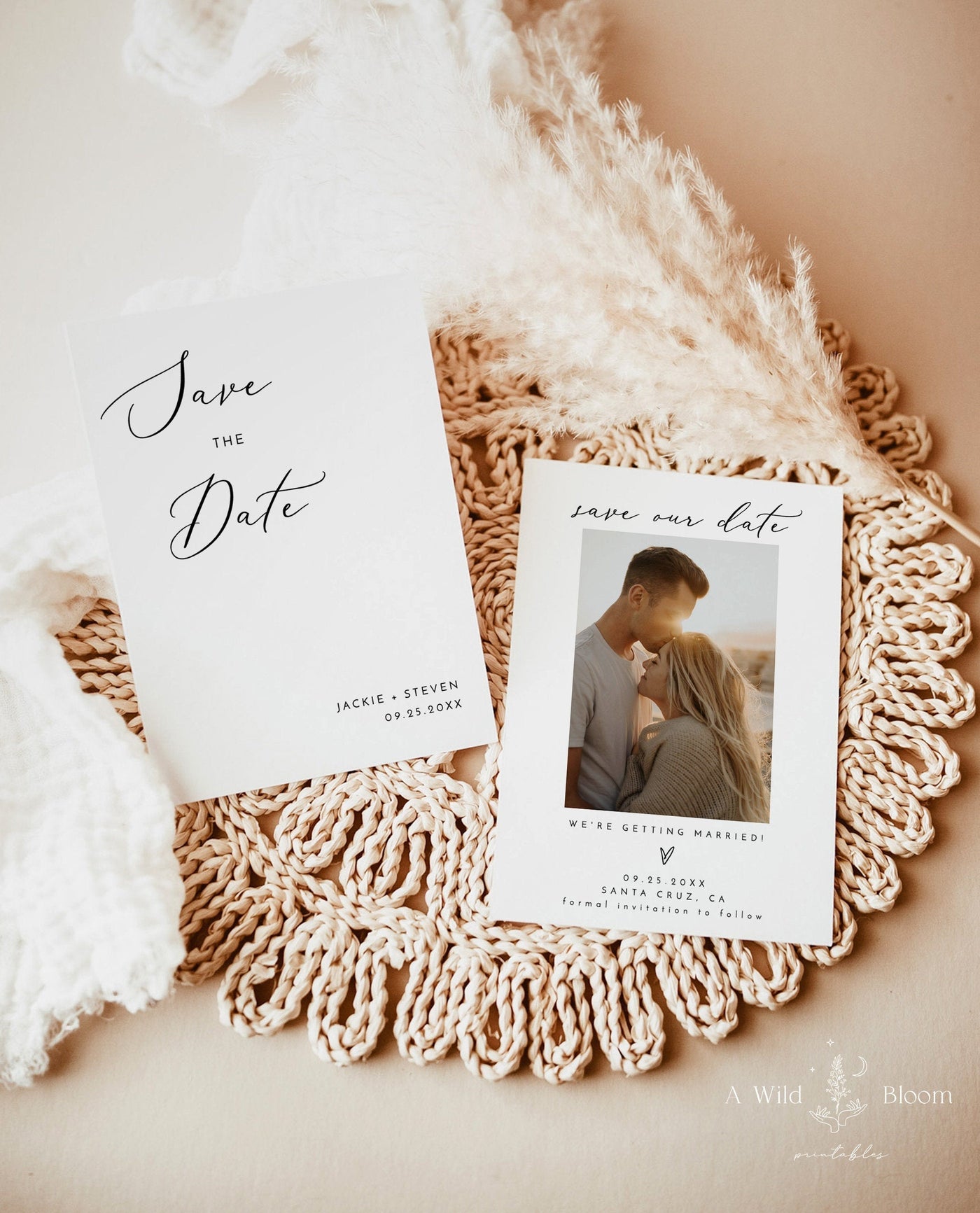
Let's be real: nobody saves the date because the card was pretty. They save it because they opened the envelope, saw your faces, and went, "Oh — them. We're going." That's the whole job of a photo save the date. It puts a human moment in your guests' hands months before the invitation shows up, and it does something a typeface alone can't: it makes the wedding feel real before anyone's booked a flight.
If you've been agonizing over which picture to use, whether your phone photos are "good enough," or how to take a decent shot without hiring a photographer — you're in the right place. This is the long, honest guide to photo save the dates: why they work, what kind of photo to use, how to take a great one yourself, how to lay it out, what to write, and how to make sure it prints sharp instead of blurry. No fluff, no Pinterest-perfection pressure.
And here's the first piece of reassurance: you do not need a professional engagement shoot to do this well. Plenty of the best save the dates I've ever seen came off someone's phone.

Why Photo Save the Dates Work (and Why People Keep Them)
A save the date has a simple, almost boring purpose: tell people the date so they can hold it before they get a "real" invite. You could do that with a plain card and a clean font, and honestly that's fine. But a photo card does three extra things, and they matter more than people expect.
1. It gets kept. Text-only cards get glanced at and tossed in a drawer. A card with your faces on it ends up on the fridge, held by a magnet, staring at your guests every morning for six months. That's free, daily, emotional advertising for your wedding. People genuinely forget plain dates. They do not forget the card with you two laughing on it.
2. It introduces both of you. Weddings merge two families and two friend groups, and half your guest list has never met your partner. A photo answers the quiet question everyone has — "wait, which one is the fiancé?" — before they're standing in a reception line trying to figure it out.
3. It sets the tone. Beach photo in linen and bare feet? Guests read "casual, bring sandals." You two in a snowy park in coats? They start picturing a cozy winter wedding. The photo previews the vibe better than any wording can, which quietly helps people pack and dress right months later.
One more practical note: a save the date is not the invitation. It carries way less information — names, date, city, and "invitation to follow" — which means the photo gets to be the star. That freedom is exactly why photo cards shine in this format. When you're ready to browse layouts, our save the dates collection is built for exactly this: one strong photo, a little text, done.
What Kind of Photo Should You Use? (Three Honest Options)
There's no single "right" save the date photo, and the wedding internet's obsession with glossy engagement shoots has made a lot of couples feel like their real-life pictures don't count. They do. Here are the three routes, with the honest pros and cons of each.
Option 1: The Engagement Shoot Photo
This is the classic. You hire a photographer (often the same one shooting your wedding, sometimes included in the package), spend an hour or two getting photos taken, and walk away with 30–60 polished images. If you're already doing an engagement session — or it came bundled with your wedding photography — this is the easiest source of a save the date photo, because the lighting, focus, and resolution are already handled.
- Best for: couples who want zero technical worry and already booked a shoot.
- Watch out for: timing. Save the dates go out 6–8 months before the wedding (8–12 months for destination weddings). If your engagement shoot is scheduled for two months from now, your save the dates might be late. Book the shoot early or use a different photo.
- Cost reality: a standalone session runs anywhere from $250 to $600+. If you're not doing one anyway, don't book it just for a save the date — the phone-photo route below is genuinely good enough.
Option 2: The Candid You Already Have
Go look at your camera roll right now. There is a real chance the perfect save the date photo is already on your phone — the trip where you both look relaxed, the wedding you attended where someone caught you mid-laugh, the random Sunday you took a selfie that turned out great. Candids win because they look like you, not like two stiff people who were told to "act natural" by a stranger with a camera.
The bar for a usable candid is honestly low: faces clearly visible, decent light, not too blurry, and shot at the highest quality your phone allows (more on resolution later). If it passes those, it can absolutely carry a card.
Option 3: The DIY Phone Shoot
This is the sweet spot for most couples, and the one I'd nudge you toward if you don't have a shoot booked and don't love your existing candids. Modern phones take photos sharp enough to print beautifully at save-the-date size. You set aside 30 minutes, grab a tripod or a willing friend, go somewhere with nice light, and take 100 photos so you can pick the 1 or 2 keepers. That's the whole secret pros use too — volume. The next section walks you through doing this so it doesn't look like a DIY phone shoot.

How to Take a Great Save the Date Photo Without a Pro
You can get a genuinely card-worthy photo with a phone and a free afternoon. Here's how to stack the odds in your favor. Read all of it before you shoot — most "my photos didn't turn out" stories trace back to one skipped step here.
Light Is 90% of It (Shoot at Golden Hour)
If you remember nothing else, remember this: shoot in the hour after sunrise or the hour before sunset. That "golden hour" light is soft, warm, and flattering, and it forgives almost everything. Harsh midday sun does the opposite — it creates hard shadows, makes you squint, and blows out faces.
- Outdoors: golden hour, or open shade (under a tree, beside a building) on a bright day. Overcast days are secretly fantastic — clouds act like a giant softbox.
- Indoors: stand facing a big window, with the light hitting your faces. Never shoot with the window behind you unless you want to be silhouettes.
- Avoid: direct overhead sun, mixed lighting (half sun/half shade across your faces), and your phone's flash. The flash flattens everything and makes skin look harsh.
What to Wear (Coordinate, Don't Match)
The goal is to look like you go together, not like a matching set bought at the same store. A few specifics that always work:
- Pick a palette, not an outfit. Choose 2–3 colors you'll both pull from — think soft neutrals, denim and white, or warm earth tones. Then dress within it.
- Avoid tiny patterns and big logos. Thin stripes and busy prints can shimmer weirdly (it's called moiré) and logos date the photo instantly.
- Dress for the season you're shooting in, but think about the wedding vibe you want to preview. Cozy sweaters read winter; linen and light colors read spring/summer.
- Iron the clothes. Wrinkles are the number-one thing that makes a DIY photo look DIY.
Location: Pick Somewhere That Means Something (or Just Looks Clean)
You don't need a dramatic backdrop. You need an uncluttered one. The two routes that work:
- Meaningful: where you met, where you got engaged, your favorite coffee spot, your front porch. Guests love the story even if they don't know it, and you'll love it forever.
- Simple and pretty: a park at golden hour, a field, a brick wall, the beach, a plain wall in good light. A clean background keeps the focus on your faces — which is the whole point.
Whatever you pick, scan the background for clutter: trash cans, parked cars, strangers, exit signs. Take three steps in any direction and the distraction usually disappears.
Props (Optional, and Easy to Overdo)
Props can add personality, but a little goes a long way. The ones that earn their spot: a small chalkboard or sign with your wedding date, your dog (people love a save the date with the dog), or something you'd naturally be holding like a coffee or a bouquet. Skip anything you'd have to over-explain — if a guest needs a footnote to understand the prop, leave it out.
The Technical 5-Minute Checklist
- Clean your lens. It's smudged. It's always smudged. Wipe it.
- Shoot at the highest resolution your phone allows, and turn OFF any "save space" / lower-quality setting.
- Use a tripod or prop the phone up and use the self-timer or a remote. Steadier = sharper, and you both get to be in frame.
- Tap to focus on your faces before each shot.
- Take way more than you think you need — 75 to 150 frames. You're hunting for the 1–2 where you both look good at the same time, which is rarer than it sounds.
- Shoot some vertical AND some horizontal, so you have options once you pick a layout.
That last one matters more than people realize — your orientation and layout choices depend on it.

Single Photo vs. Multi-Photo Layouts
Once you've got your photos, you've got a layout decision. Both are great — they just do different jobs.
The Single-Photo Layout
One strong photo, your names, the date, the city. Clean, timeless, and the easiest to nail. This is the right call when:
- You have one clear standout photo and want it to be the whole show.
- You want a modern, uncluttered, gallery-wall-worthy card.
- You're keeping it simple (which is almost always the smart move for a save the date).
A single great photo will almost always beat four okay ones. If you're torn, go single.
The Multi-Photo Layout
Two to four photos in a grid or collage. This works beautifully when:
- You can't choose between a couple of favorites (let yourself have both).
- You want to show a little range — one posed, one silly, one with the dog.
- You're telling a tiny story: how you met, the proposal, you two now.
The catch: multi-photo cards get cluttered fast. Stick to 2–3 photos max for most designs, give them room to breathe, and make sure each one is good on its own. If one photo in the collage is weak, it drags the whole card down. When you browse our save the date designs, you'll see both styles — and because every design is editable, you can swap the photo count to match what you actually have.
Vertical vs. Horizontal: Which Orientation Wins?
This trips couples up more than it should, so here's the plain answer. Most save the dates are printed in one of a few standard sizes — commonly 5x7 (the classic), 4x6, or square 5x5 — and orientation should follow your photo, not the other way around.
- Vertical (portrait): flattering for shots of the two of you standing close, head-to-toe or waist-up. The most common and most forgiving choice for couple photos. A vertical 5x7 is the default for a reason.
- Horizontal (landscape): great when the location is part of the story — a wide beach, a field, a city skyline behind you. Gives the background room.
- Square: trendy, modern, plays nicely with social media if you're also posting the announcement. Works for both tight couple shots and slightly wider scenes.
The mistake to avoid: cropping a horizontal photo into a vertical card (or vice versa) and chopping off half of someone. That's exactly why I told you to shoot both orientations — so you pick the layout you love and already have a photo that fits it. If you only have one orientation, choose the card shape that matches it. Don't force the crop.
Wording to Pair With Your Photo
Here's the golden rule of photo save the dates: the photo is the star, the words are the supporting cast. Keep the text short, because the picture is already doing the emotional work. You truly need only four things.
- The phrase — "Save the Date," "Save Our Date," or a twist on it.
- Your names — first names are plenty for a save the date.
- The date — written out or as numerals; both are fine.
- The location — city and state is enough. Venue can wait for the invitation.
Then add one small line: "Formal invitation to follow" so guests know the details are coming. That's it. Resist the urge to add registry info, hotel blocks, or your life story — that all lives on the wedding website (drop the URL if you have one) and the invitation.
Wording Templates You Can Steal
Simple and classic:
- Save the Date / Jordan & Casey / October 17, 2026 / Asheville, North Carolina / Invitation to follow
Warm and personal:
- We're getting married! / Save the date for Jordan & Casey / 10.17.2026 / Details to come
Playful:
- He asked. She said yes (finally). / Save the date — October 17, 2026 / Asheville, NC
Want a deeper bench of phrasing? Our breakdown of wedding welcome sign wording for every style has tone-by-tone language that translates straight onto a save the date — and the same voice can carry through to your whole wedding sign suite later for a cohesive look.

What If You Don't Have a Good Photo? (You Have Options)
This is the section nobody else writes, and it's the one half of you actually need. Maybe you hate every photo of yourself. Maybe you and your partner have never taken a good one together. Maybe the engagement shoot isn't until next month. None of that means you're stuck — and none of it means you're doing this wrong. Here's the menu.
1. Use the DIY phone shoot from earlier.
Seriously, 30 minutes at golden hour and 100 frames will almost always produce one keeper. Most "I have no good photos" situations are really "I haven't taken enough photos yet."
2. Crop tighter.
A photo that's bad overall can hide a great moment. Crop in on the two of you, cut out the messy background or the bad angle, and suddenly it works. Just make sure you started with a high-resolution image so the crop still prints sharp (more on that next).
3. Use a non-couple photo.
Who says it has to be your faces? A gorgeous shot of your hands with the ring, your dog wearing a "save the date" bandana, the city where you're getting married, or the venue itself — all of these make charming, intentional cards.
4. Skip the photo entirely.
Here's full permission: a photo save the date is wonderful, but it is not mandatory. A beautifully typeset text-only save the date with your names, the date, and a pretty design is completely valid and always in style. If photos are stressing you out, a clean non-photo card is a perfectly good answer — and you can browse plenty in our save the dates collection alongside the photo styles. You're not behind, and you're not cheaping out. You're choosing the thing that's right for you.
5. Book a mini session.
If you really want a polished photo and have a little budget, a 20–30 minute "mini session" (many photographers offer them seasonally for $100–$200) gets you pro images for a fraction of a full shoot. Just mind the timeline so the photos arrive before your save the dates need to go out.
Printing & Quality: How to Make Sure It Doesn't Print Blurry
You found the perfect photo. Now let's make sure it actually prints sharp, because a beautiful photo that comes out pixelated is the saddest plot twist in wedding stationery. This is the technical bit, kept as painless as possible.
Resolution: The 300 DPI Rule
For anything printed, you want roughly 300 DPI (dots per inch) at the final printed size. Translated to plain English, here's the minimum pixel count your photo needs for common save the date sizes:
- 4x6 card: at least 1200 x 1800 pixels
- 5x7 card: at least 1500 x 2100 pixels
- 5x5 square: at least 1500 x 1500 pixels
Good news: a photo from any phone made in the last several years easily clears this — a typical phone shot is 3000–4000 pixels on the long side. The danger zones are screenshots, images saved off social media, photos texted to you (texting compresses them hard), and heavy crops. Always work from the original file, not a screenshot or a download of a download.
How to Check Your Photo's Resolution
- iPhone: open the photo in Photos, tap the (i) info button — it shows the pixel dimensions (e.g., 4032 x 3024).
- Android: open the photo, tap the menu/details, look for "Resolution" or dimensions.
- Computer: right-click the file → Get Info (Mac) or Properties → Details (Windows).
If the long side is 1500+ pixels and ideally 2000+, you're golden for a 5x7. If it's under ~1000 pixels, find a higher-quality version before you print.
A Few More Print-Quality Tips
- Don't enlarge a small photo. Blowing a low-res image up to fit won't add detail — it just makes the blur bigger. Start big.
- Avoid over-filtering. Heavy filters and aggressive editing can introduce noise that prints muddy. A light touch reads better on paper than on a screen.
- Mind the safe zone. Keep faces and text away from the very edges; trimming during printing can clip anything too close to the border.
- Order a proof or test print if you can. Colors on a glowing screen always look brighter than they do on paper. A single test print saves you from a surprise.
If "DPI" still makes your eyes glaze, you're not alone — and it's exactly why our editable templates and printed options are built to make the technical part disappear. The same resolution thinking applies to bigger pieces too, like a printed welcome sign or poster; our guide on what size a wedding welcome sign should be and the custom foam board signs explainer go deeper on sizing and resolution for the day-of decor.

Digital vs. Printed: Which Way Should You Send Them?
There are two real ways to get a photo save the date into your guests' hands, and there's no wrong answer — it depends on your budget, your timeline, and your crowd. Here's the honest breakdown.
Editable Digital Templates (Print It Yourself or Send It Out)
You buy an editable template, swap in your photo and wording yourself (in Templett, right in your browser — no design software needed), and then either print at home, send the file to a local print shop, or email/text the digital version to guests. This is the budget-friendly, fast, flexible route.
- Best for: couples on a budget, anyone who wants it done this week, and people comfortable doing a little DIY.
- Pros: cheapest option, instant access, unlimited prints, easy to tweak.
- Cons: you handle the printing and trimming. Quality depends on where you print.
- Where to look: browse our editable digital templates and digital invitation suite if you want the save the date and invitation to match.
Printed & Shipped (We Personalize and Mail Them to You)
You send us your photo and details, we set up the card, print it on quality stock, and ship the finished cards to your door — ready to stuff in envelopes. This is the no-stress, professional-finish route.
- Best for: couples who'd rather not touch a printer, want a polished result, or are short on time.
- Pros: professional print quality, real cardstock, zero DIY, consistent results.
- Cons: costs more than printing yourself, and you build in shipping time.
- Where to look: our printed & shipped collection covers save the dates and printed invitations, and you can carry the look through to printed wedding signs and decor for the big day.
The Fully Digital (Paperless) Option
You can also skip paper entirely and text or email the digital file, or post it as an announcement. It's free, instant, and eco-friendly — great for a casual crowd or a tight timeline. The trade-off is that digital save the dates don't end up on anyone's fridge, and older relatives may miss or forget them. A common middle ground: send digital to your friends and a printed card to family and anyone who'd appreciate something tangible. We break the whole choice down in editable templates vs. printed & shipped if you want help deciding.
Your Photo Save the Date Timeline (So Nothing Sneaks Up on You)
Quick reality check on when this all needs to happen, because timing is where good intentions go to die:
- 8–10 months out: decide on your photo source. If you want an engagement or mini session, book it now so the images arrive in time.
- 7–8 months out: take/choose the photo, pick your layout and wording, and order (or set up the template).
- 6–8 months out: mail your save the dates. (Push to 8–12 months for destination weddings, so guests can book travel.)
- 2–3 months out: send the formal invitations — this is where the venue, RSVP, and registry details live.
If your wedding is closer than that — breathe. Late save the dates are better than none, and plenty of couples skip them entirely and go straight to invitations. You're not behind. You're just working with the timeline you've got, like everyone else.
Quick Answers to the Questions Everyone Asks
Do we have to put a photo on our save the date?
No. Photos are lovely and they get kept, but a clean text-only card is always in good taste. Do what feels like you.
Can I really use a phone photo?
Yes. A modern phone shot, taken in good light at full resolution, prints beautifully at save-the-date size. Just work from the original file, not a screenshot or a texted copy.
What size should a photo save the date be?
5x7 is the classic and most popular. 4x6 is a touch cheaper to mail; 5x5 square is modern. Any of them work — match the size to your photo's orientation, and let the photo decide vertical vs. horizontal.
Send the One That Looks Like You
Here's the last bit of permission, and the most important one. The "perfect" save the date photo isn't the most professional one or the most posed one. It's the one where you both look like yourselves — relaxed, a little goofy, clearly happy — because that's the version of you your people want to celebrate. A slightly imperfect photo that captures who you are will always beat a flawless one that feels like a stranger.
So pick the photo that makes you smile, keep the wording short, double-check your resolution, and send it. Whether you go the editable-template route and print it yourself or have us personalize and ship the finished cards, you can find a layout you love in our save the dates collection — and when it's time for the next step, we've got matching invitations, wedding signage, and even thank-you cards to keep the whole suite feeling like one beautiful, cohesive story. You've got this. Now go raid your camera roll.